
Point of Sale
Growth plan and upSell, buy and trade in your shop and at fairs.
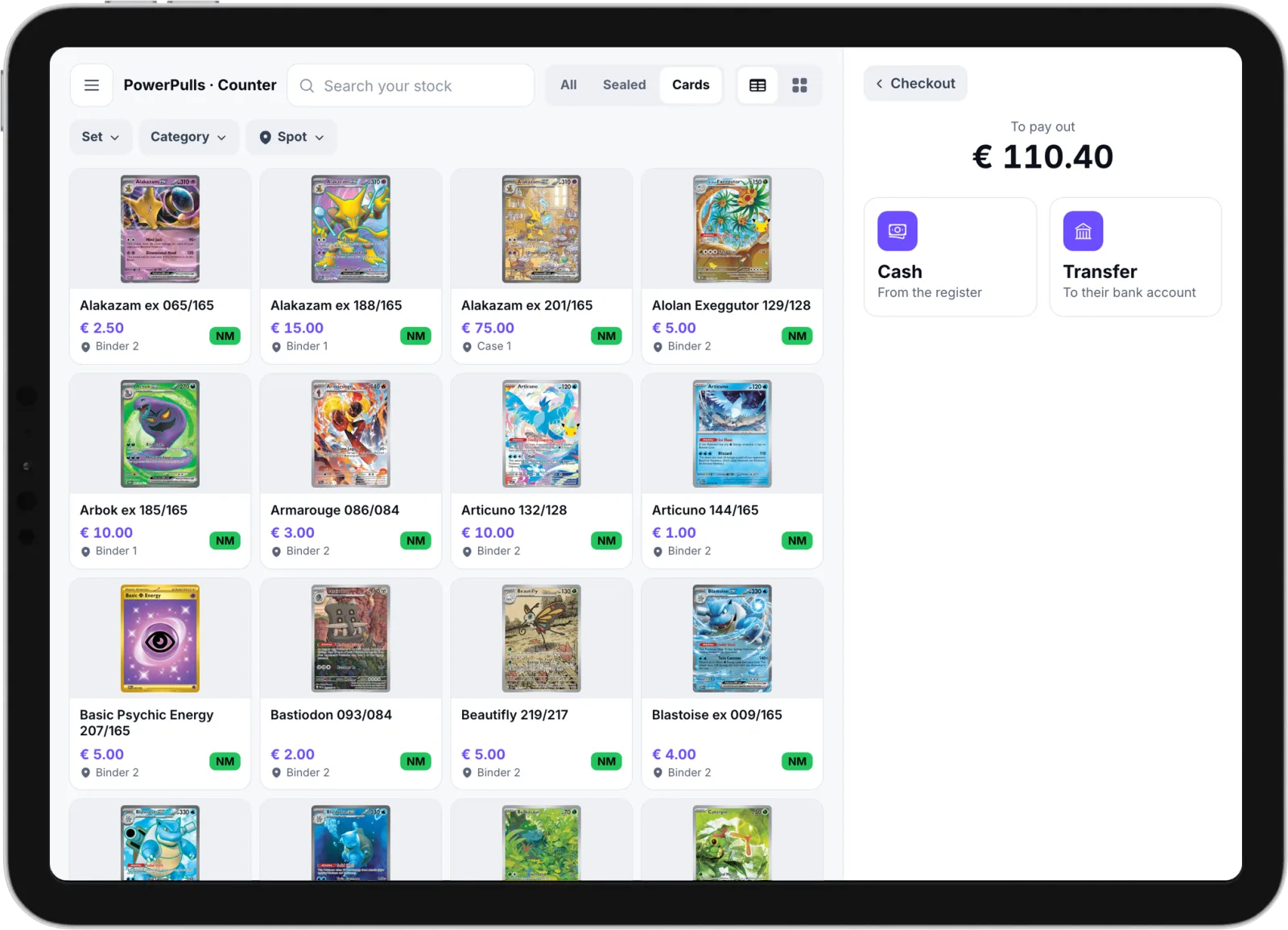
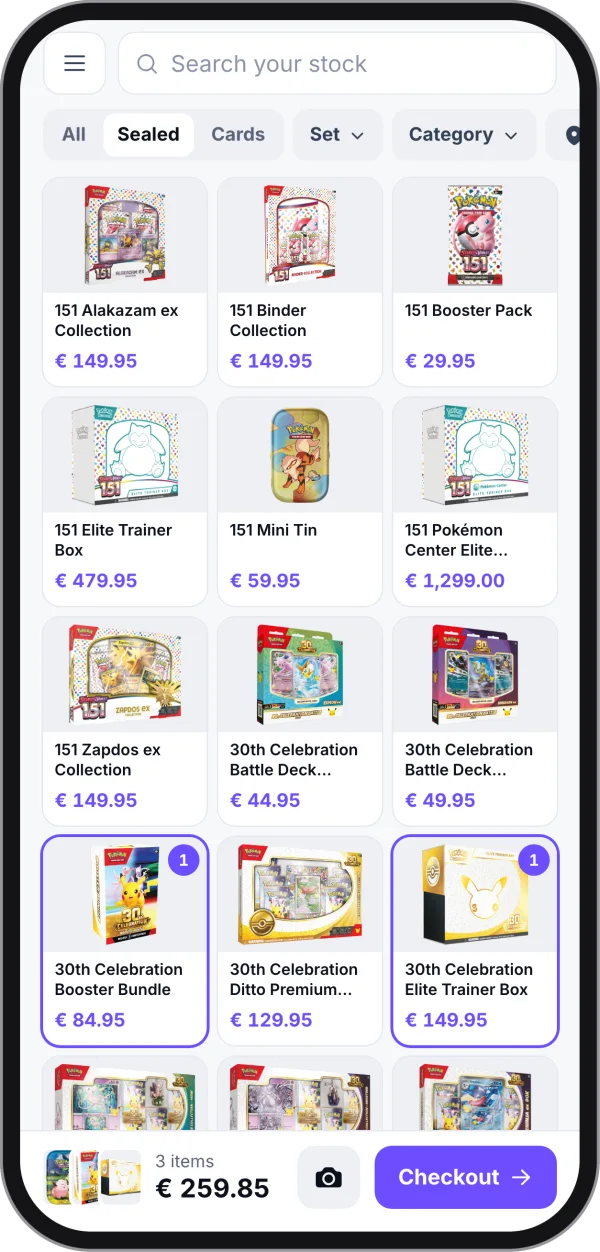
Use your iPad or phone as the POS. A card you sell in person is gone from your online store at once, so nothing sells twice.
Start your store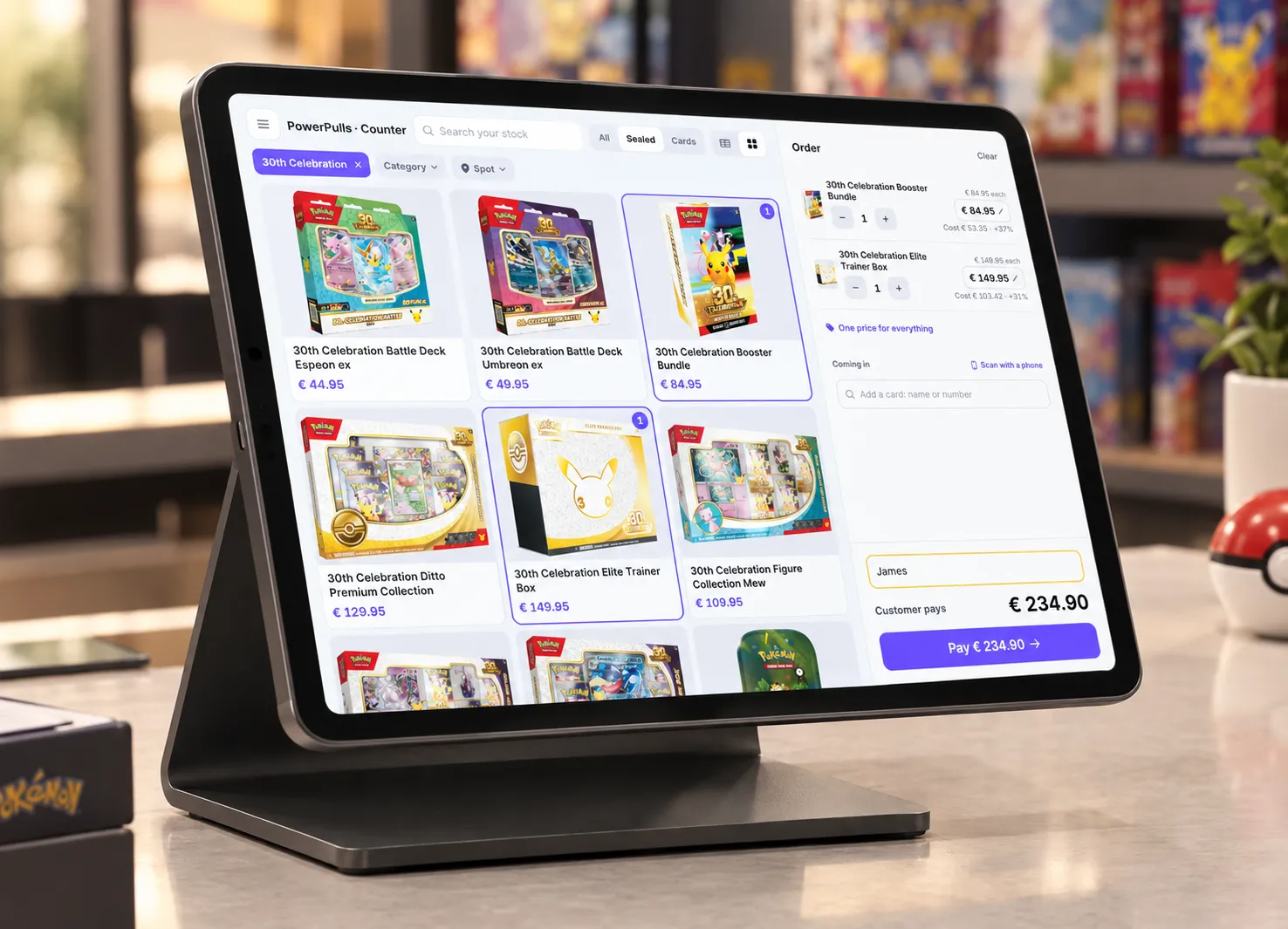
- Take cash, card or QR code payments
- Buy and trade cards in
- Sell from your iPad or phone, also at fairs
A sale in four steps.
Tap, agree a price, type a name and take the money. Your stock goes down and the invoice is made as soon as the sale is paid.
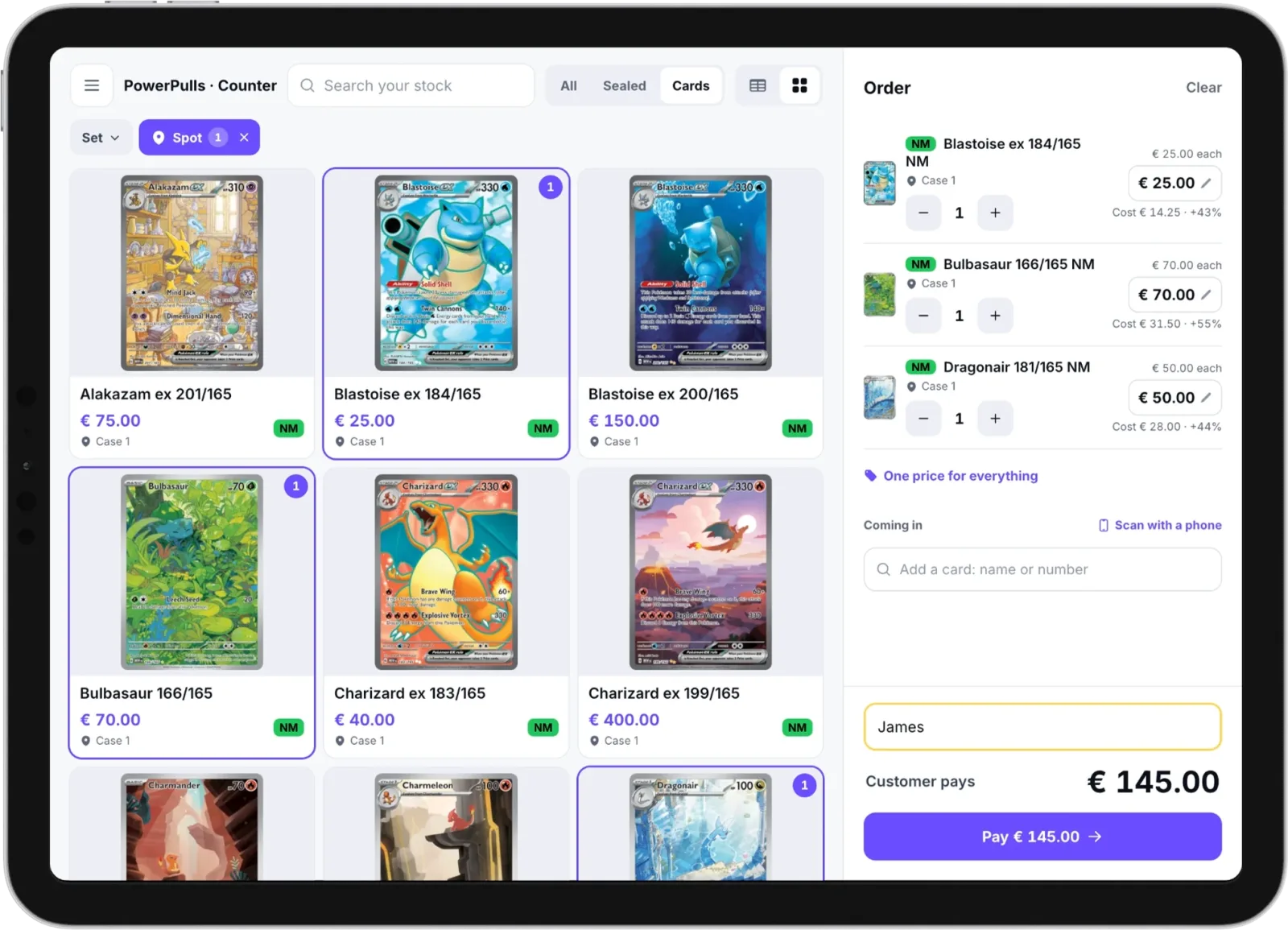
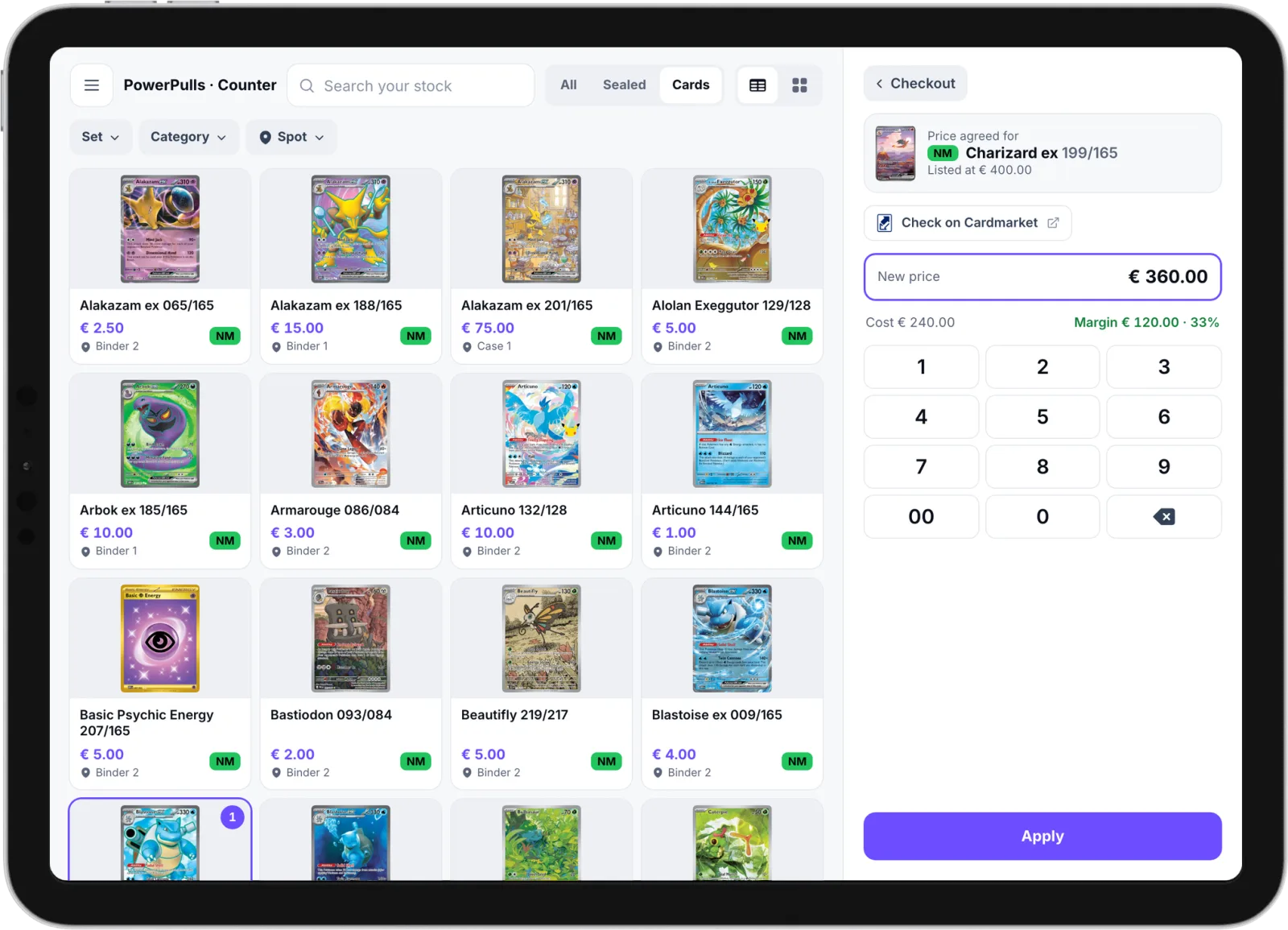
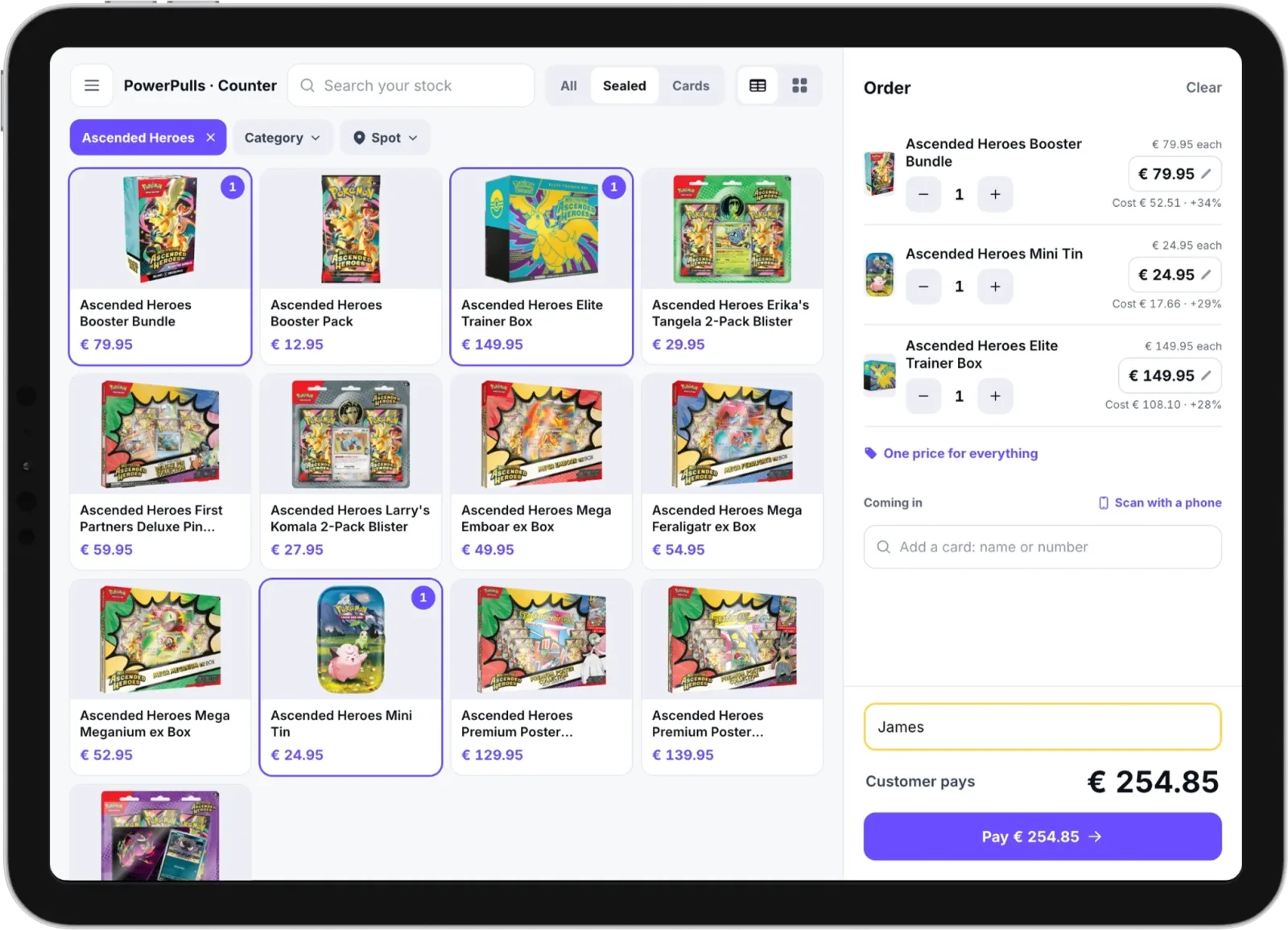
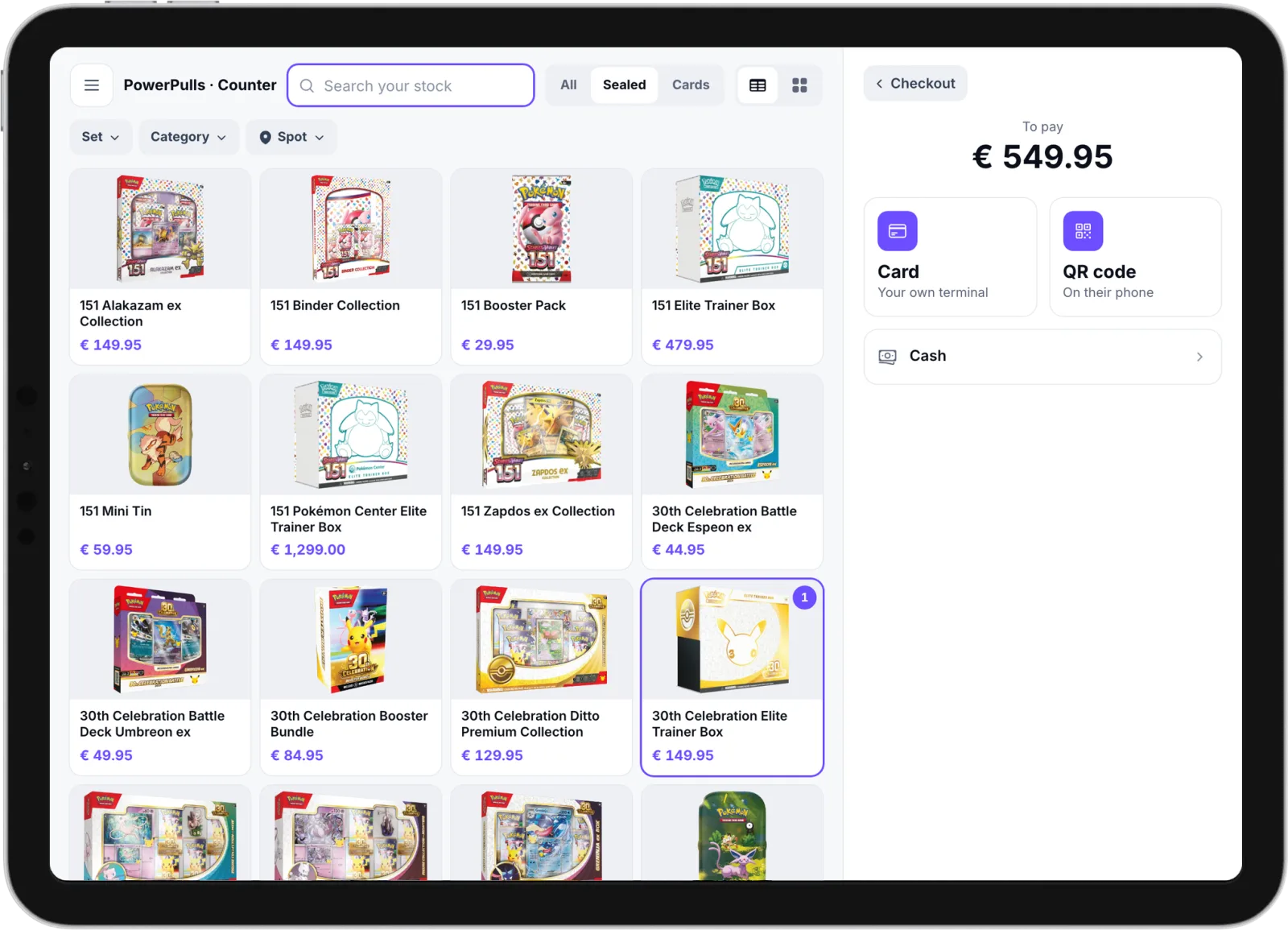
Take cash, card or QR code payments.
However the customer pays, you get one order and one invoice. Cash and your own card terminal carry no commission.
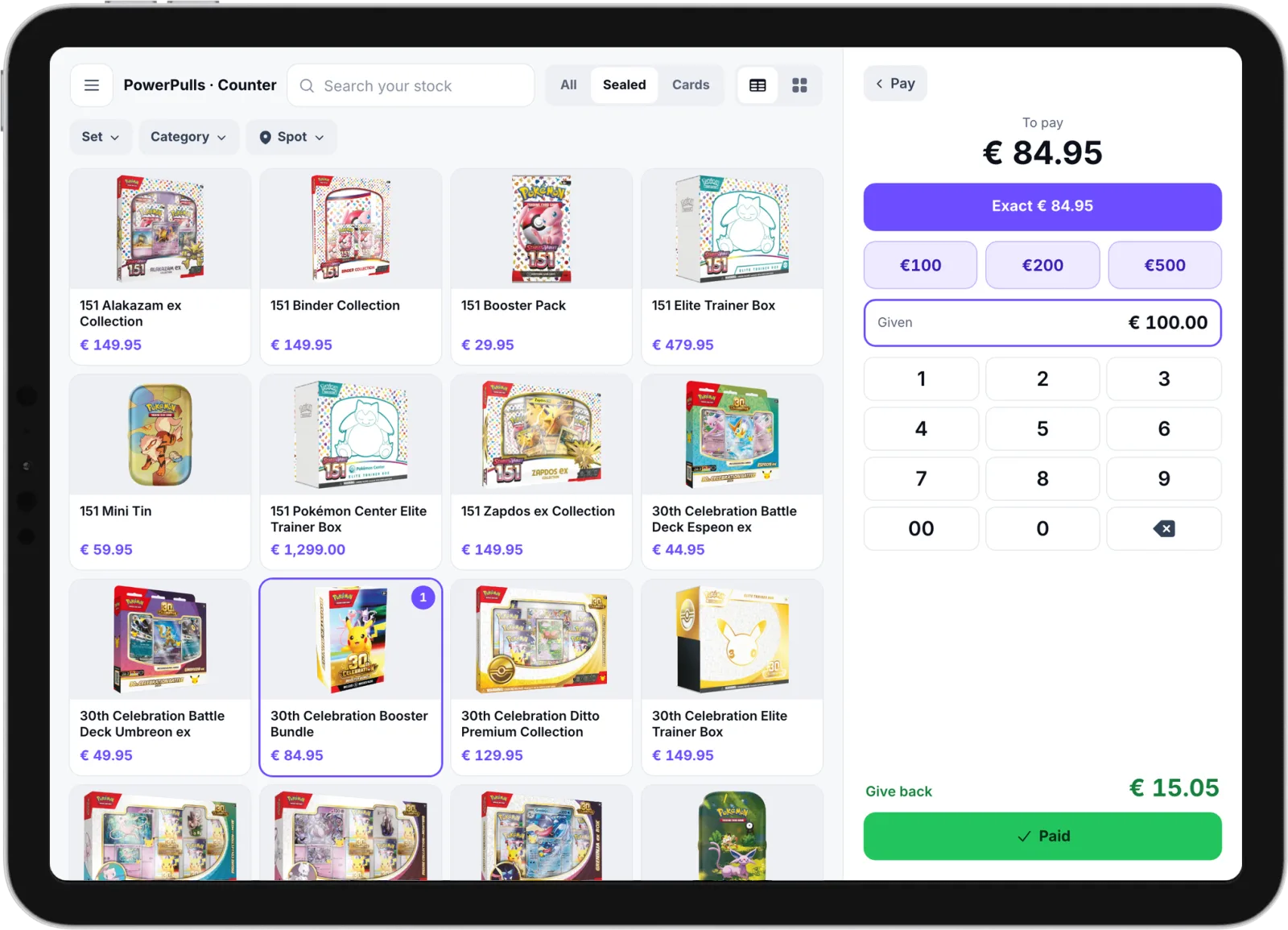
-
Cash
Tap Exact or the note you were given, or type the amount. The screen shows the change to give back.
-
Card
With Mollie, the POS sends the amount to your Mollie terminal or to Mollie Tap on your phone. With another terminal, type the amount there and tap Paid.
-
QR code
The customer scans the code and pays on their own phone. The screen turns green when the money is in.
Payments through Stripe or Mollie, by QR code or on a Mollie terminal, carry your plan's commission. See the prices
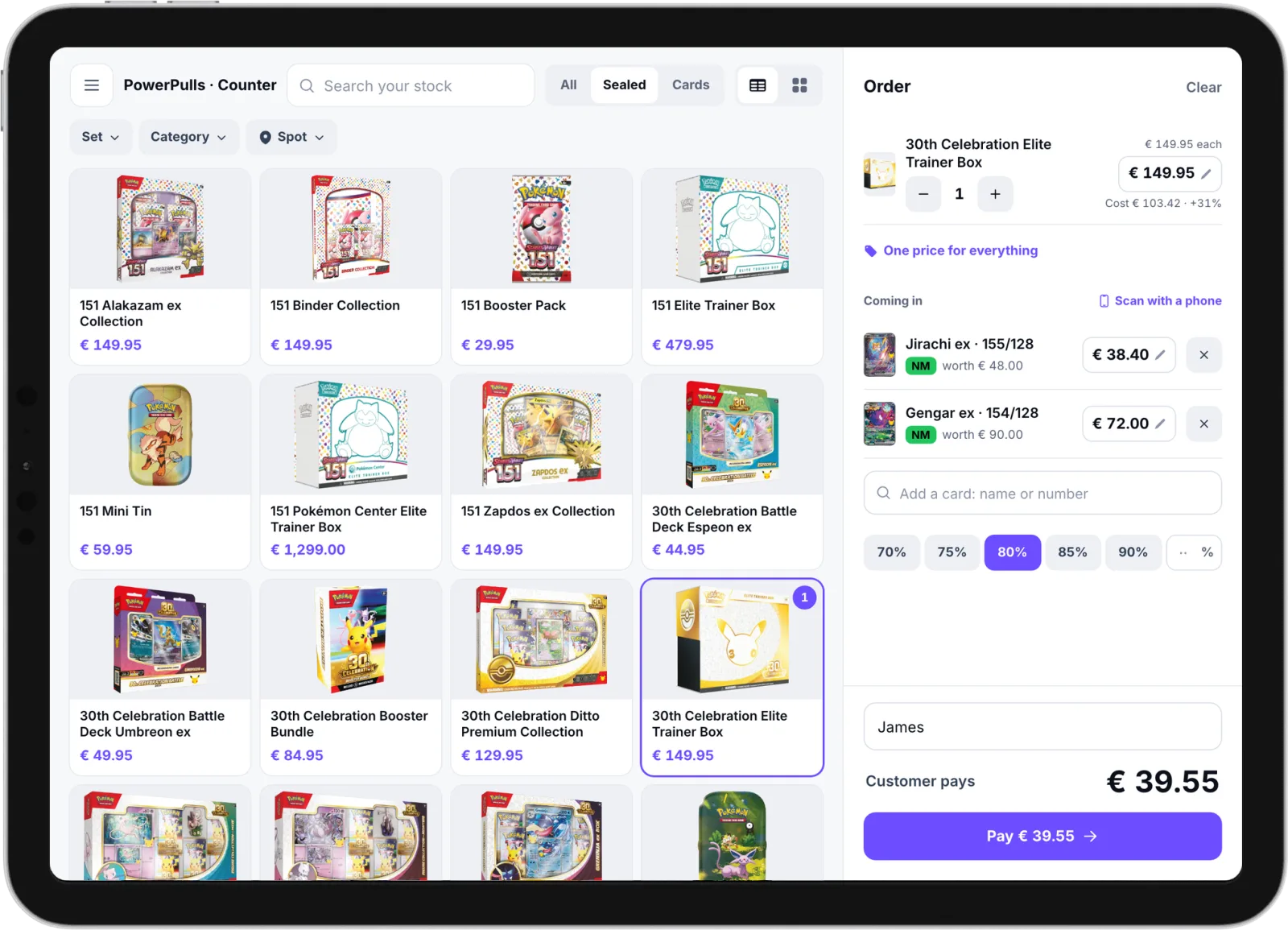
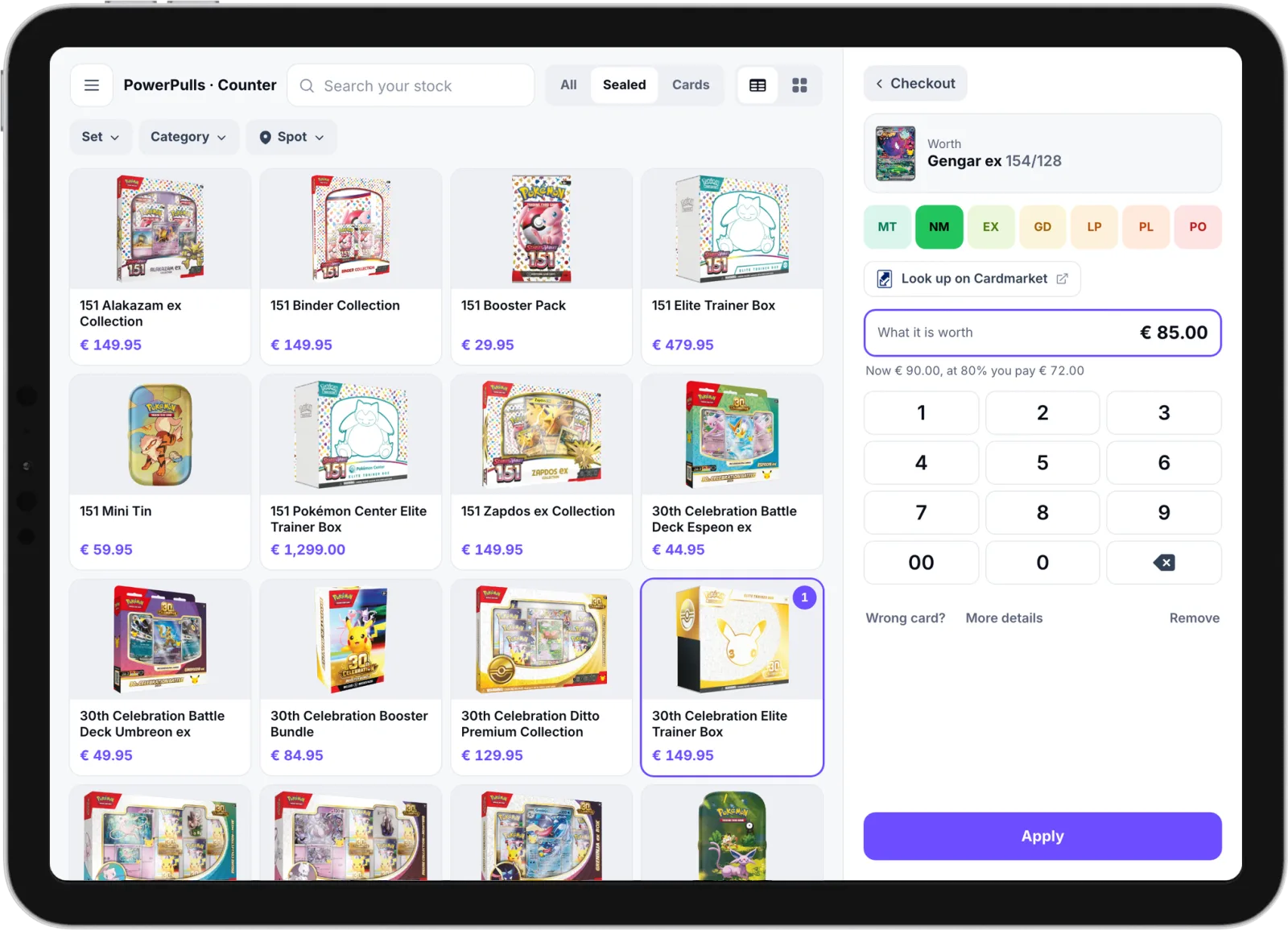
Take cards in trade. Only the difference is paid.
Check each card on Cardmarket and use your own buy rates. The cards go into your stock at what you paid, so you know your margin.
At a fair
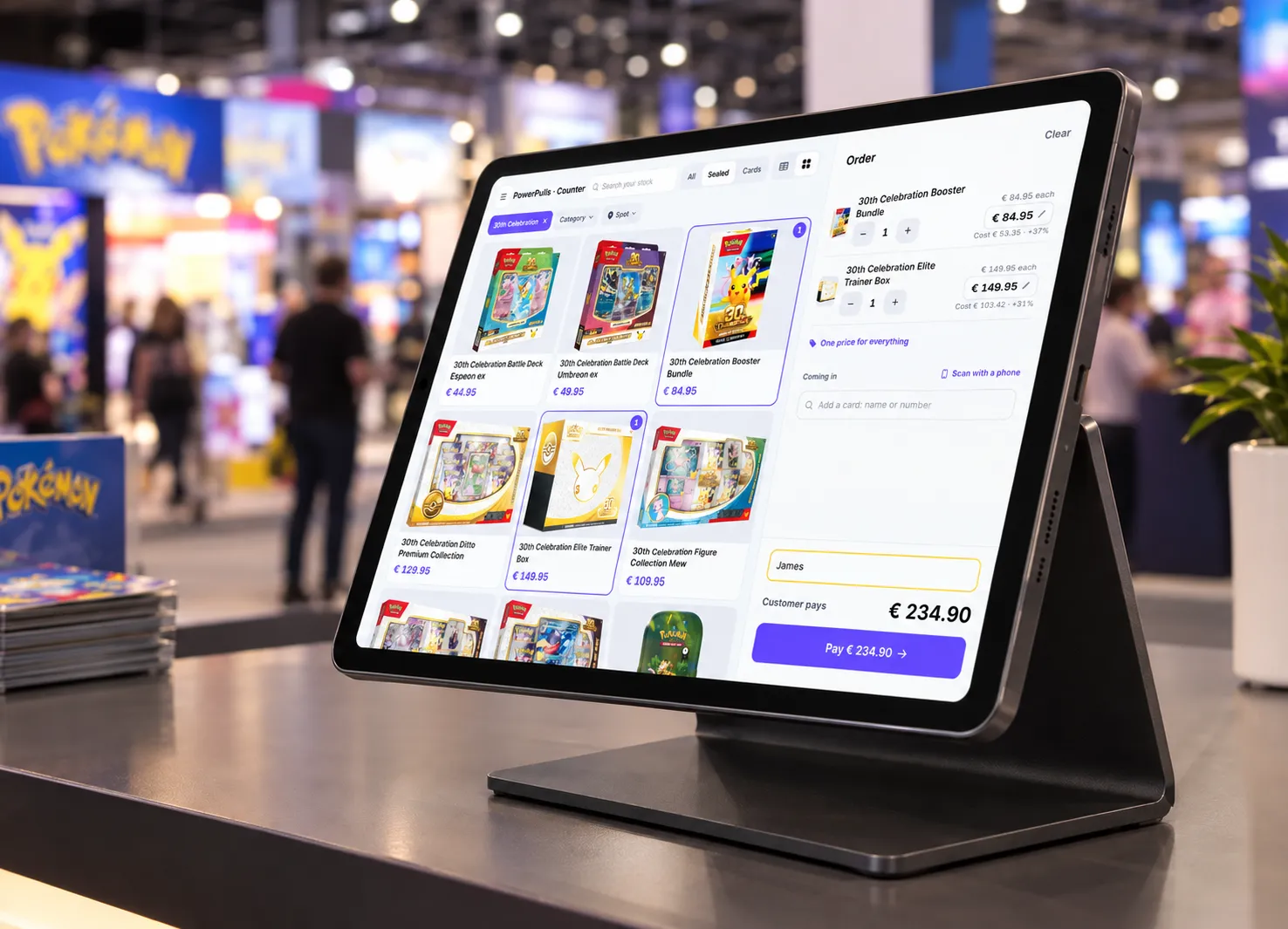
Sell at fairs with only an iPad or a phone.
A sale at the fair takes the card out of your online store too, so it never sells twice.
- Show only what you brought
- Tick the cases and binders you took along. The POS shows only those cards until the end of the day.
- Never book a sale twice on bad wifi
- If the wifi drops after you tap Paid, tap it again. The POS finds the sale and never counts it twice.
- Take card payments on your phone
- With Mollie Tap on your phone, you need no separate card terminal.
Also in the POS.
Small things that save you time on a busy day.
-
See your margin
See what an item cost you while you agree a price. A price below cost shows in red.
-
Mail the receipt
Send the receipt and invoice when the customer asks. A customer who paid by QR code can ask on their own phone.
-
Scan cards with your phone
Link your phone to the iPad or laptop once. Every card you scan shows up in the sale.
-
Count the register
See today's cash, card, QR code and trade-in totals, and the cash that should be in the register.
-
Finish an open sale
Left a sale waiting, or was it paid while you were away? Resume, finish or cancel it from the POS.
-
Clear invoices for trades
A trade is a sale and a purchase. The invoice shows what was paid in cards and what in money.
One stock for your online store, stream and POS.
Sign up and your store is made right away. No monthly fee for the first 14 days, and you cancel any month.